Write the sentence once. Change the details.
Meet the f-string: a small Python feature that puts changing values into ordinary words.
A sentence with room for change.
Imagine sending the same friendly greeting to three people. You could write the sentence three times and change each name. A reusable sentence is easier: keep the words, and leave a space for the changing part.
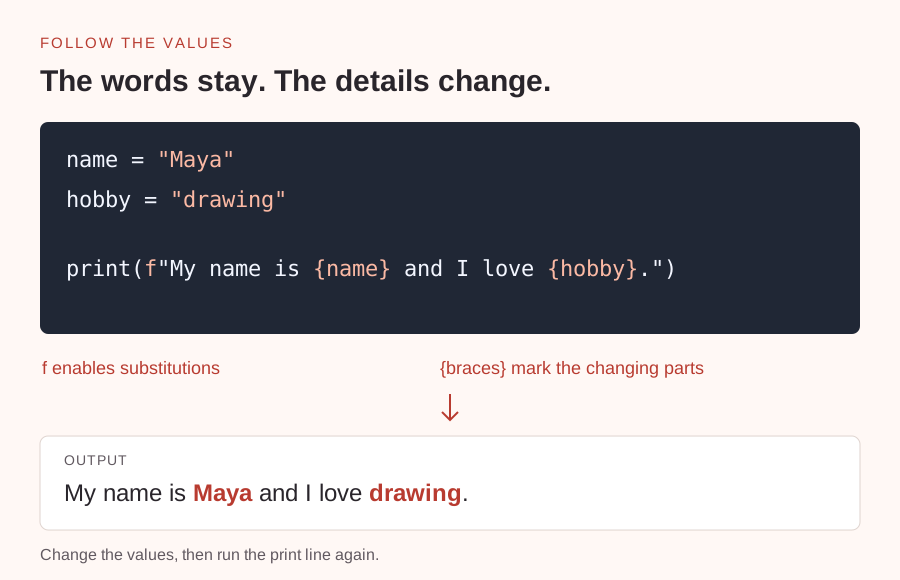
In Python, a variable is a name for a value. The line name = "Maya" gives the name variable the text Maya. An f-string can place that value inside another piece of text. Put an f immediately before the opening quotation mark, then put the variable name inside curly braces.
The braces are instructions to Python, not part of the printed sentence. In the example below, {name} becomes Maya and {hobby} becomes drawing. print() displays the finished message.
Try changing one thing.
Run the example as written first. Then change only the value assigned to name and run it again. You’ve changed the result without editing the sentence itself. That separation is useful in reminders, file labels, and small reports.
If you see the literal text {name} in the output, check for the f before the quotation mark. Without it, Python treats the braces as ordinary characters. Keep quotation marks around text values; otherwise Python looks for a variable with that name.
An f-string uses the value that exists when the string is created. It isn’t a live link to the variable. Run the print line again after changing a value to create a new message.
name = "Maya"
hobby = "drawing"
print(f"My name is {name} and I love {hobby}.")Make the greeting yours.
- Open your usual Python interpreter or playground and paste the example.
- Replace Maya and drawing with a name and hobby of your choice. Keep the quotation marks.
- Run it. Then change the hobby and run it once more without changing the print line.
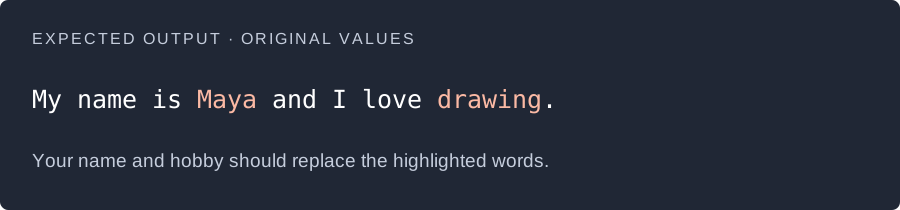
Expected output, illustrated with the original values. Your name and hobby will be different. View full size ↗
Can you change the output by editing only the two values?
A little nudge
The f goes outside the quotation marks. The variable names go inside the braces, without quotation marks.
What to look for
With the original values, the output is: My name is Maya and I love drawing. With your values, the words around them stay the same and neither the quotation marks nor braces are printed.
Take it one small step further
Add a city variable, then include ‘I live in {city}’ in the same f-string. Create the city variable before the print line.
Use an f-string when the message stays similar but the details change.
Read more: Python documentation · Formatted string literals ↗
No submission needed. This one is just for you.